 GameToGo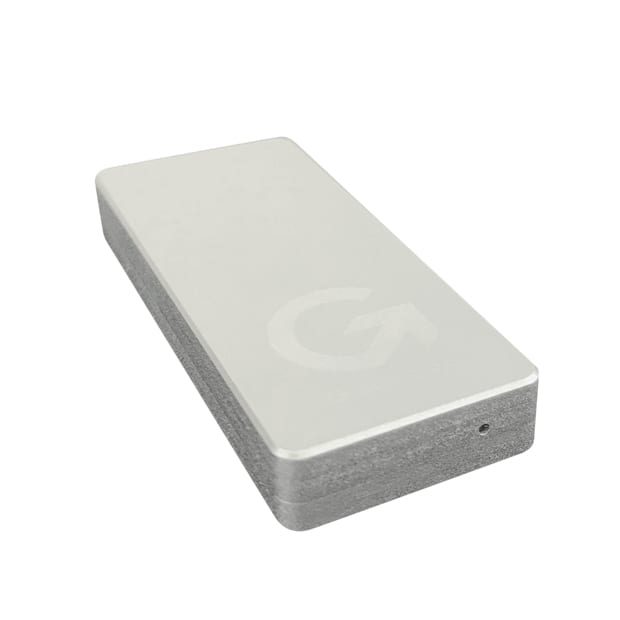
GameToGo / Pro
DiscontinuedThe first-generation GameToGo: plug it into a Mac and run Windows 10. GameToGo is small and light, and GameToGo Pro moves to PCIe NVMe for speeds up to 1000 MB/s.
- Windows 10 preinstalled, plug and play
- Works with Intel Macs from 2013 to 2020
- SATA 3 in GameToGo, PCIe NVMe in GameToGo Pro
- 3D TLC memory, 3 times more durable than budget SSDs
- Built-in data partition readable from Windows and macOS
- RE upgrade: one-click restore to reset Windows anytime
This product has been discontinuedLooking to buy? Check out GameToGo 2, available now.Already using one? For the restore tool, the user manual or any other help, contact us through Support.
Plug it into your Mac and get a Windows PC
Your Windows files and apps stay on GameToGo, so your Mac carries no extra load.
GameToGo Pro for speed
A PCIe NVMe chip with read and write speeds up to 1000 MB/s; copying a 4GB file takes just 5 seconds.
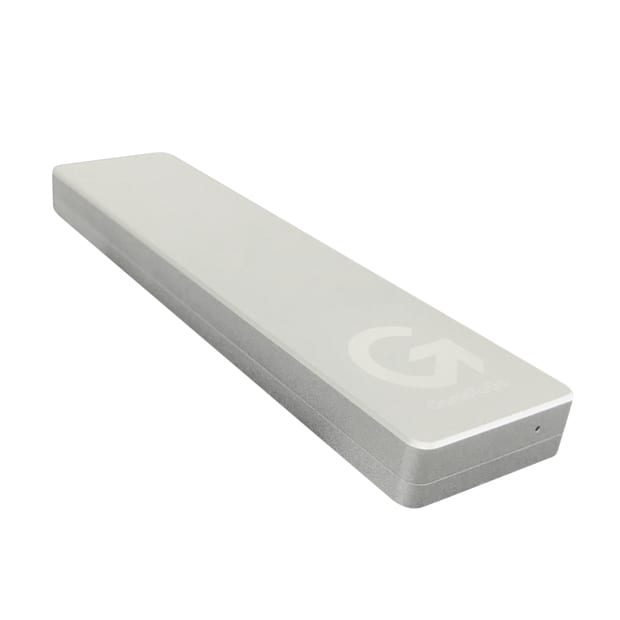
Choose your capacity
64GB to 256GB, or 256GB to 1TB for the Pro range
USB 3.1 Gen 2
Works with USB-A, USB-C and Thunderbolt 3
Work and assignments
Office documents keep their layout, and Windows-only software just works
Play Windows games
Enjoy PC games on your Mac
RE one-click restore in 3 minutes
If Windows gets a virus or slows down, skip the reinstall and reset it to its original state in one click.
Light and portable
The aluminum body fits in a pocket, and GameToGo weighs just 25 g.
One USB drive, one more Windows for your Mac
GameToGo is a purpose-built USB drive with Windows 10 preinstalled. Plug it into a Mac and run Windows right away. Think of it as a Mac upgrade: you get dual systems and extra storage. Our own Mac driver setup wizard detects your computer model automatically.
- Gaming: PC games that are hard to play on a Mac run on GameToGo.
- Assignments: Office documents keep their layout, so your work is safer.
- Family: Family members who prefer Windows can share the same Mac.
RE upgrade across the range
The RE edition has built-in one-click restore software. If Windows gets a virus or slows down, there is no need to find someone to reinstall it: reset Windows to its original state in 3 minutes. The built-in data partition lets Windows and macOS share files, so moving data between the two systems is easy.
In the press
Chinese-language coverage from Taiwan
GameToGo USB drive review: the best dual-system solution for Mac
電腦王阿達GameToGo RE hands-on: switch to Windows easily, now with one-click Windows reset
MacUknowGameToGo RE evolves, giving you BootCamp Windows for good
硬是要學GameToGo review: Mac turns Windows in seconds, full-power gaming made easy
電腦王阿達GameToGo USB drive hands-on, switch your Mac to Windows instantly and enjoy PC games
Mobile01Unboxing: GameToGo, the best dual-system solution for gaming on a Mac
數位時代Want Windows games on a Mac? Plug in GameToGo for an easy dual-system setup
蘋果仁Plug into a Mac for a dual system! The GameToGo USB drive switches to Windows anytime
Specs
Supports Intel Macs from 2013 to 2020, macOS 10.11 or later and Windows 10; works with every MacBook / Air / Pro, iMac / Pro and Mac mini / Pro.
- Capacity
- 64GB / 128GB / 256GB (GameToGo); 256GB / 512GB / 1TB (GameToGo Pro)
- Dimensions
- 64 × 26 × 9 mm (GameToGo) / 102 × 26 × 9 mm (GameToGo Pro)
- Weight
- 25 g (GameToGo) / 40 g (GameToGo Pro)
- Device port
- USB-C 3.1 Gen 2
- Computer connection
- USB-A, USB-C, Thunderbolt 3
- Color and material
- Silver / anodized aluminum
- Memory
- 3D TLC NAND
- Interface
- SATA 3 (GameToGo) / PCIe NVMe (GameToGo Pro)
- Read/write speed
- GameToGo 550 / 500 MB/s; GameToGo Pro 1000 / 1000 MB/s (theoretical)
- Partitions
- System partition and data partition split 2:1 by default
- Warranty
- 3 years