 GameToGo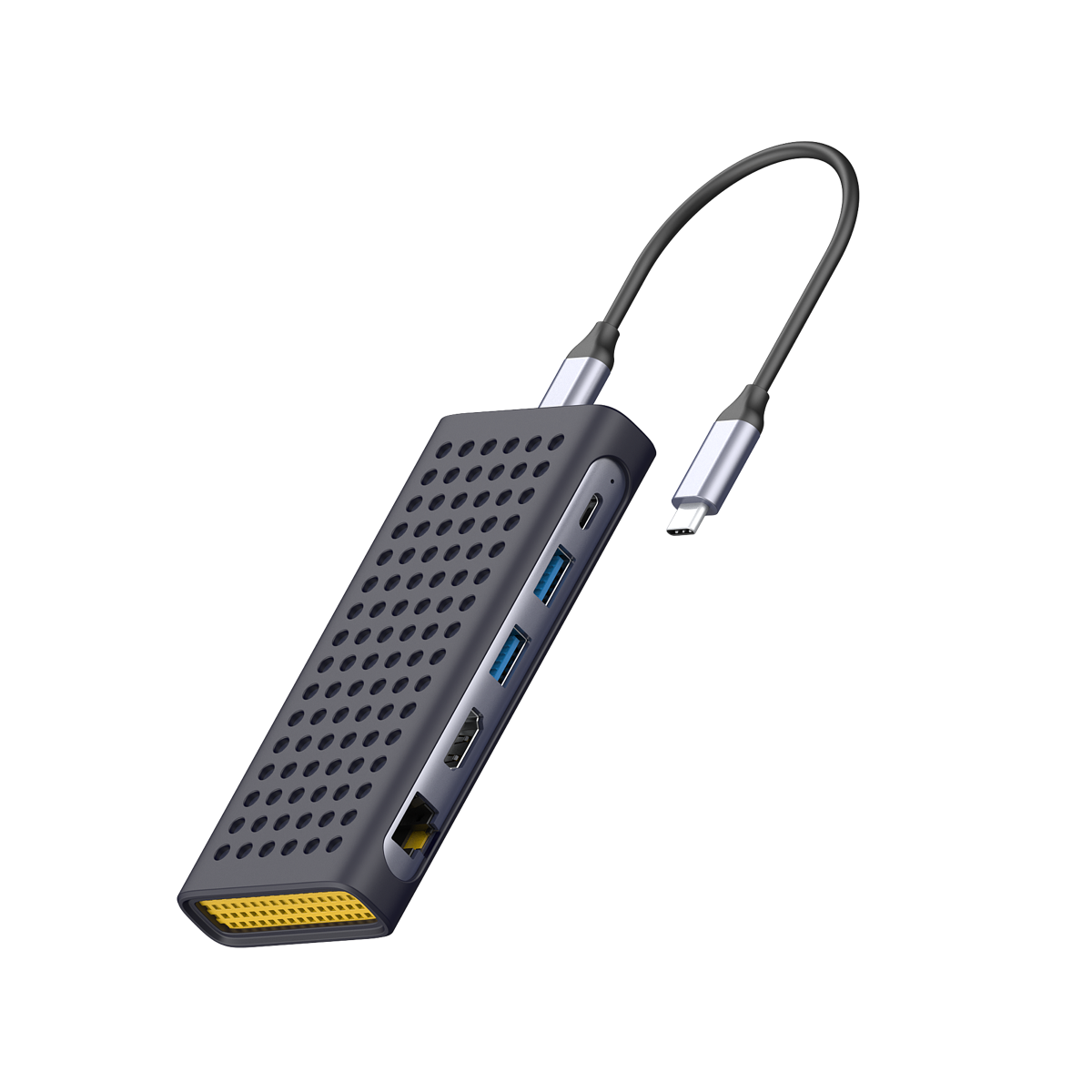
AppToGo 11
A multiport adapter with Windows 11 already inside. Plug it into your Mac to use Windows apps, Office and games. No downloads, no installation, no subscription.
AppToGo 11 500GB English edition
Prices in US dollar · In stock
- Latest AppToGo 9 architecture, free software for life
- Latest Windows 11 25H2, plug and play
- Full support for VMware Fusion Pro virtualization
- 4K HDMI, Gigabit Ethernet, 100W pass-through charging
- Built-in restore system, back to factory settings in one click
- Shock-absorbing rubber sleeve included
Small adapter, lots of ports
A 6-in-1 hub with the system drive tucked inside.
Saves your Mac's storage
Windows lives on the NVMe SSD inside the adapter. Choose 500GB to 2TB.
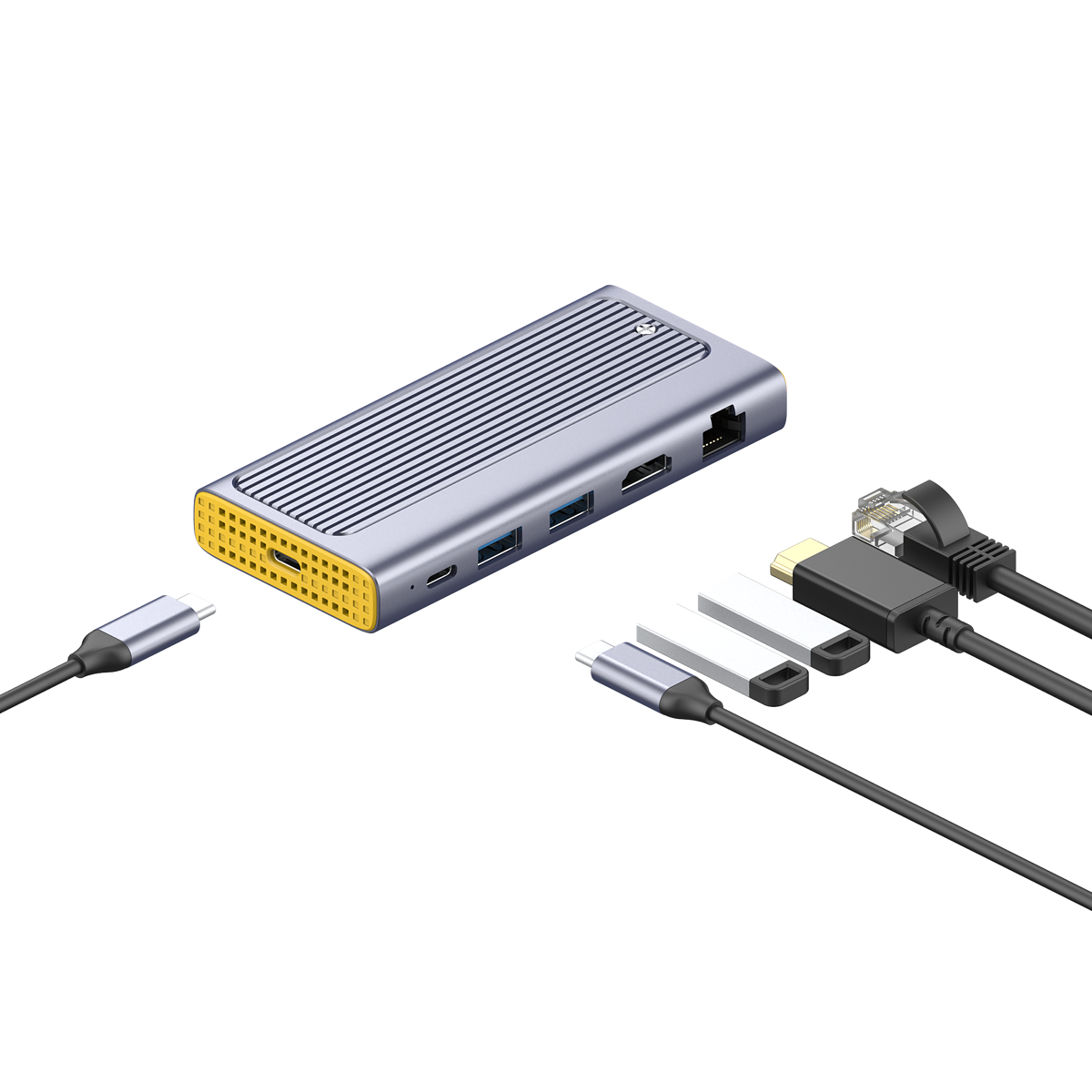
HDMI output
Connect a monitor, TV or projector
Charge while you work
USB-C PD charging port
Works with phones and tablets
Use it as an adapter for iPad and Android (virtual desktop is Mac only)
Gigabit Ethernet
A steadier wired connection
Broke something? One-click restore
If Windows acts up, get back to day one in a few minutes.
No extra fees
Other virtualization software charges subscription and upgrade fees every year. AppToGo software is completely free.
Virtual desktop: Windows 11, plug and play
AppToGo 11 includes the full-featured VMware Fusion Pro. Plug it into your Mac and open the Windows 11 desktop, with HiDPI support, cameras, microphones, accessories and 3D acceleration.
- Genuine release: a full release of Windows 11, not a preview, with no watermark.
- Microsoft Store: install Office straight from the Microsoft Store. Product keys and volume licenses both work.
- Clipboard and file sharing: copy text in macOS and paste it in Windows. Share Mac folders and USB drives with Windows.
Game Box: play without the desktop
The free Game Box is a 3D-accelerated emulator that runs games without starting the Windows desktop. It supports launchers like Steam, Battle.net and Rockstar, and works with controllers.
Zero extra fees
Traditional virtualization software charges a subscription every year and an upgrade fee for each new macOS. We promise AppToGo software is completely free: no subscription, no upgrade fees.
In the press
Chinese-language coverage from Taiwan
Specs
Apple silicon Mac with macOS 15 or later and a USB-C or Thunderbolt 3/4 port.
- Capacity
- 500GB / 1TB / 2TB
- Size
- 121 × 55 × 16 mm
- Weight
- 150 g
- Cable length
- 45 cm
- Color and material
- Space gray / aluminum alloy and plastic
- USB-C charging
- USB-PD 3.0 / 100 W
- USB-A
- 2 ports, USB 3.2 Gen 1
- HDMI
- 4K@60Hz
- Ethernet
- 10/100/1000M
- Transfer speed
- 10 Gbps
- Drive protocol
- NVMe
- System partition
- About 25 GB
In the box
- AppToGo 11
- Shock-absorbing rubber sleeve
- User manual
- Warranty card
Good to know
- 2-year warranty. See the warranty and returns policy for coverage.
- Works with macOS 15 or later on every Apple silicon (M-series) Mac. For Intel Macs, choose GameToGo 2.
- The built-in Windows 11 is the Arm version. For app compatibility, see Microsoft's "Windows on Arm" FAQ.
- The virtual desktop uses VMware Fusion Pro. The Windows virtual desktop and Game Box work on Mac only.
- Windows comes in Traditional Chinese or English, depending on the edition you choose. You can add other display languages in Windows Settings.
About AppToGo 11
Will it work with my Mac?
Any Apple silicon (M1 or later) Mac running macOS 15 or later with a USB-C or Thunderbolt port works. Not sure about your model? See the full list on the Support page.
Which version of Windows is installed?
Windows 11 Pro for Arm, in a Traditional Chinese or English edition. You can activate it with a product key or volume license.
What if I don't activate Windows?
Everyday features work normally. Only a few personalization settings, like changing the desktop background, are locked.
Can I use it on another Mac?
Yes. You can move it between supported Macs freely.