 GameToGo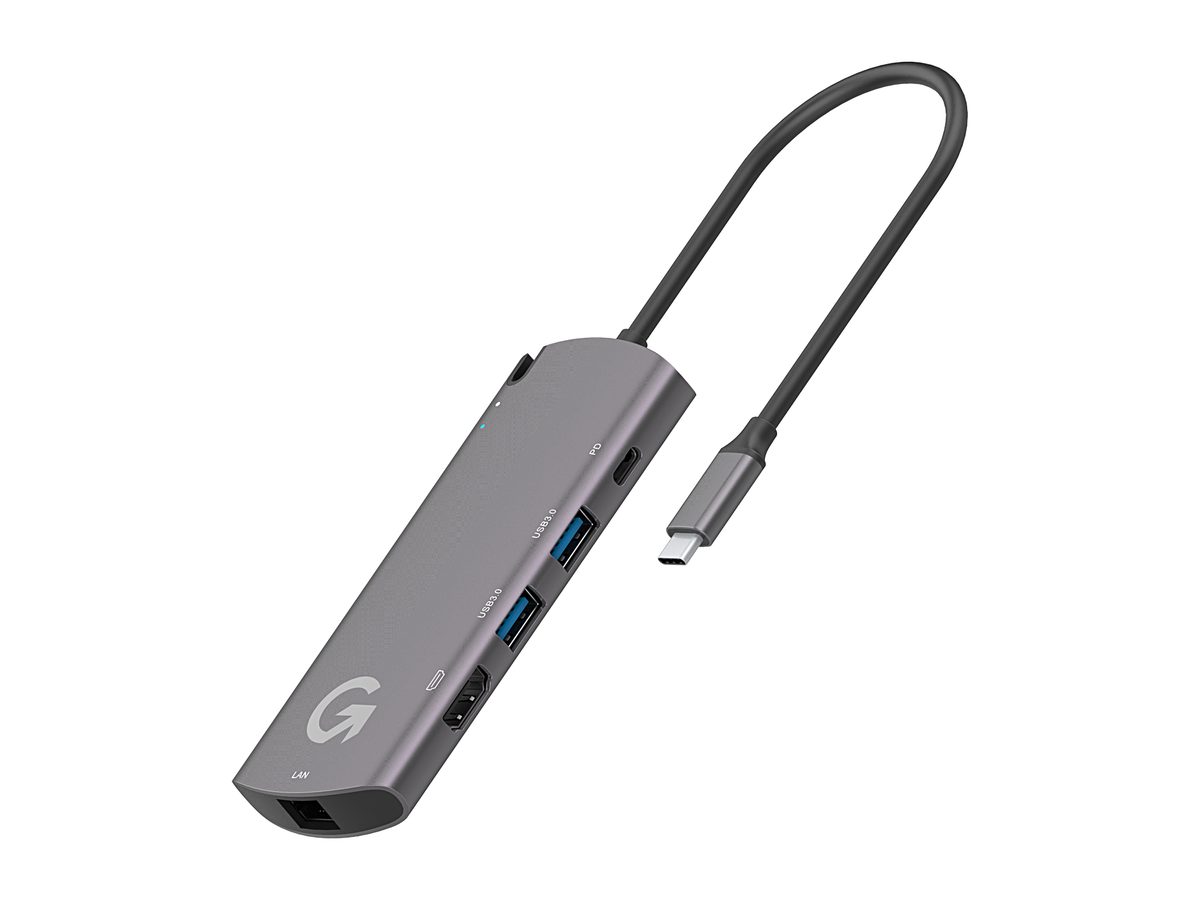
AppToGo Hub / Max
DiscontinuedAn adapter or a fast drive with Windows 11 preinstalled. Plug it into your Apple silicon Mac to open a Windows virtual desktop, or play games with Game Box.
- Windows 11 preinstalled, plug and play
- Free virtualization software for life, no subscription or upgrade fees
- Two emulators: virtual desktop + Game Box
- Hub: 4K HDMI, Gigabit Ethernet, 100W pass-through charging
- Max: PCIe NVMe, 1000 MB/s read and write
- Built-in restore system, back to factory settings in one click
This product has been discontinuedLooking to buy? Check out AppToGo 11, available now.Already using one? For the restore tool, the user manual or any other help, contact us through Support.
Two designs, both plug and play
Hub is a multiport adapter and Max is a fast drive. Both have Windows 11 inside.
Saves your Mac's storage
Windows 11 lives inside Hub or Max. Hub comes in 250GB/500GB/1TB, Max in 1TB/2TB.
HDMI output
Connect Hub to a monitor or projector
Charge while you work
Hub has a built-in USB-C charging port
Gigabit Ethernet
Hub supports 10/100/1000M wired networking
Fast storage in Max
PCIe NVMe, 1000 MB/s read and write (theoretical)
Works with phones and tablets
Use Hub as a multiport adapter for iPad and Android phones (virtual desktop and Game Box are Mac only).
Zero extra fees
Traditional virtualization software charges subscription and upgrade fees every year. AppToGo virtualization software is free for life.
Give your Mac a Windows subsystem
AppToGo Hub / Max comes with Windows 11 preinstalled. Plug it into an Apple silicon Mac and run macOS and Windows 11 side by side, with nothing to install and one click to start. Choose from two designs:
- AppToGo Hub: A space gray multiport adapter with SATA storage, plus HDMI, 2 USB-A ports, Gigabit Ethernet and a 100W charging port.
- AppToGo Max: A silver gray aluminum drive with PCIe NVMe storage for faster read and write speeds.
Two emulators for work and play
- Virtual desktop: The full Windows 11 operating system with native Traditional Chinese, on the official release channel with no watermark. Install Office straight from the Microsoft Store, and make reports and slides or use brokerage and stock apps with ease.
- Game Box (beta): A 3D-accelerated emulator. Its fusion mode lets you play without starting the Windows desktop. It supports game launchers like Steam, Rockstar and Battle.net, and works with game controllers.
Zero extra fees
Traditional virtualization software charges a subscription every year, plus an upgrade fee for each new macOS release. AppToGo virtualization software is free for life: no subscription fees, no upgrade fees.
In the press
Chinese-language coverage from Taiwan
Specs
Requires macOS 12 or later, an Apple silicon M1–M3 Mac, and a USB-C or Thunderbolt 3/4 port. 2-year warranty.
- Hub capacity
- 250GB/500GB/1TB
- Hub size
- 123 × 50.5 × 14 mm
- Hub weight
- 81.5 g
- Hub cable length
- 150 mm
- Hub color and material
- Space gray / aluminum alloy + plastic
- USB-C charging
- USB-PD 3.0 / 100 W
- USB-A
- 2 × USB 3.2 Gen 1
- HDMI
- 4K@30Hz / 1080p@60Hz
- Ethernet
- 10/100/1000M
- Hub storage
- SATA, 450/450 MB/s read/write (theoretical)
- Max capacity
- 1TB/2TB
- Max size
- 100.5 × 32 × 10.5 mm
- Max weight
- 66.5 g
- Max color and material
- Silver gray / anodized aluminum alloy
- Max device port
- USB-C 3.2 Gen 2
- Max storage
- PCIe NVMe, 1000/1000 MB/s read/write (theoretical)
- Flash memory
- 3D TLC NAND
- System partition
- About 25 GB